mirror of
https://ghproxy.net/https://github.com/julxxy/chinaport-data-signature.git
synced 2026-07-21 12:17:13 +08:00

3.4 KiB
3.4 KiB
China E-Port Data Signature
中国电子口岸(海口海关)报文加签推送应用,全面免费提供一站式解决方案。通过本镜像,您可以快速搭建用于报文加签推送的环境,轻松处理海口海关相关业务。
前言
After nearly two years of open-source code maintenance and exploration, we have successfully developed an all-in-one solution that offers free access and usage for a wide range of businesses. This solution aims to digitally sign and forward XML messages to the General Administration of Customs at the Chinese Electronic Port (HaiKou Customs), facilitating cross-border e-commerce operations and import-export trade for enterprises. 经过长达近两年的开源代码维护和探索,我们终于成功开发出一站式解决方案,为更多企业提供免费接入和使用。该解决方案的目标是对中国电子口岸海关(海口海关)总署的XML报文进行加签推送,以促进企业的跨境电商业务和进出口贸易。
GitHub项目链接
https://github.com/julxxy/chinaport-data-signature
快速开始
- 删除旧容器
docker stop chinaport-data-signature && docker rm -f chinaport-data-signature
- 拉取镜像
docker pull weasleyj/chinaport-data-signature:latest
- 设置环境变量创建容器
配置参数请根据自己的实际情况修改,应用YAML配置参考示例
# Docker宿主机挂载文件夹
WORK_DIR="/usr/local/china-eport-data-signature"
sudo mkdir -pv ${WORK_DIR}/{logs,}

# JVM 参数
JAVA_OPTS="-Xmx512m -Xms512m"

# 项目启动的 Spring-Boot 启动命令行配置参数
SPRING_ARGS="--spring.profiles.active=prod \
--spring.mail.enable=false \
--spring.mail.to=abc@qq.com \
--spring.mail.cc=abc@outlook.com,abc@qq.com \
--spring.mail.host=smtp.189.cn \
--spring.mail.port=465 \
--spring.mail.username=发件人邮箱 \
--spring.mail.password=发件人邮箱密码 \
--spring.mail.protocol=smtp \
--spring.mail.properties.mail.smtp.ssl.enable=true \
--spring.mail.properties.mail.debug=false \
--eport.signature.ukey.ws-url=ws://127.0.0.1:6232 \
--eport.signature.ukey.password=88888888 \
--eport.signature.auth.enable=on \
--eport.signature.auth.token=DefaultAuthToken \
--eport.signature.report.ceb-message.cop-code=报文传输的企业代码 \
--eport.signature.report.ceb-message.cop-name=报文传输的企业名称 \
--eport.signature.report.ceb-message.dxp-id=向中国电子口岸数据中心申请数据交换平台的用户编号 \
--eport.signature.report.ceb-message.server=海关服务器URL地址 \
--eport.signature.report.customs179.ebp-code=电商平台代码 \
--eport.signature.report.customs179.server=数据上报服务器URL地址"

# 删除旧容器
docker stop chinaport-data-signature && docker rm -f chinaport-data-signature
# 创建容器
docker run --name chinaport-data-signature --restart=always \
  -p 8080:8080 \
  -e TZ=Asia/Shanghai \
  -e JAVA_OPTS="${JAVA_OPTS}" \
  -e SPRING_ARGS="${SPRING_ARGS}" \
  -v ${WORK_DIR}/logs:/app/logs \
  -d weasleyj/chinaport-data-signature
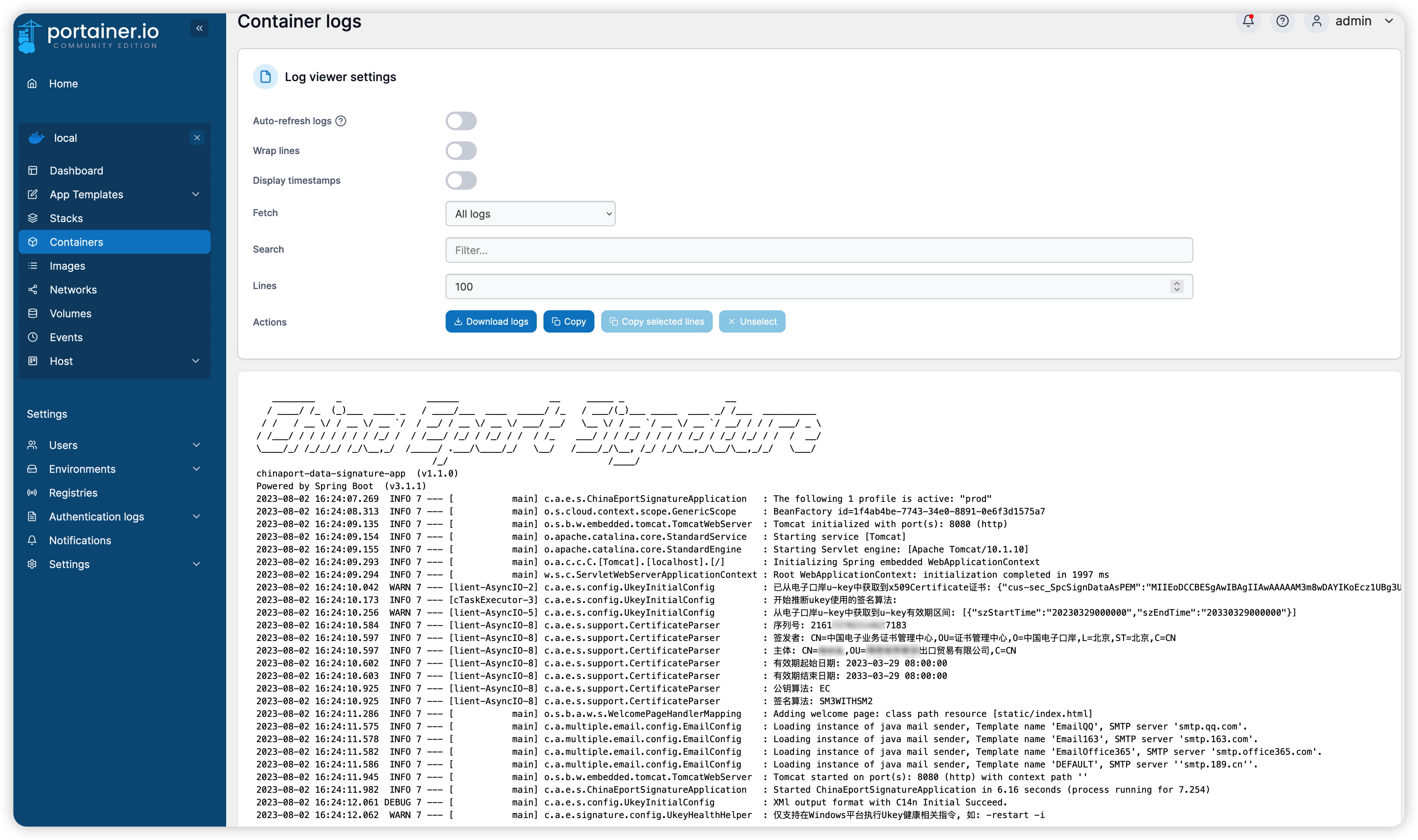
- 查看容器日志
docker logs -f chinaport-data-signature
- 容器启动界面