| .. | ||
| README.md | ||

| title | post_status | comment_status | taxonomy | ||||||||
|---|---|---|---|---|---|---|---|---|---|---|---|
| 通知 | publish | open |
|
通知
通知是显示在管理页面顶部附近的信息性用户界面。WordPress 核心、主题和插件都使用通知来指示操作结果,或吸引用户注意必要信息。
在经典编辑器中,挂接到 admin_notices 操作的通知可以渲染任意 HTML。在区块编辑器中,通知则受限于更规范的 API。
Notices in the Classic Editor
In the classic editor, here's an example of the "Post draft updated" notice:
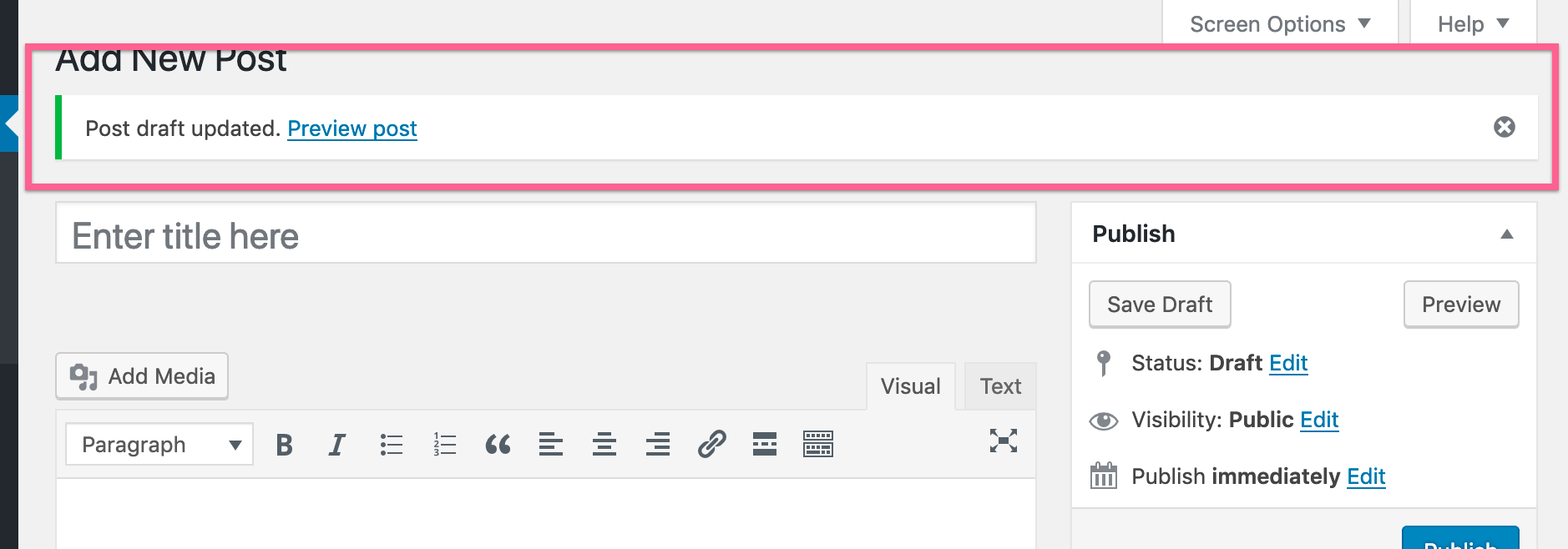
Producing an equivalent "Post draft updated" notice would require code like this:
/**
 * Hook into the 'admin_notices' action to render
 * a generic HTML notice.
 */
function myguten_admin_notice() {
	$screen = get_current_screen();
	// Only render this notice in the post editor.
	if ( ! $screen || 'post' !== $screen->base ) {
		return;
	}
	// Render the notice's HTML.
	wp_admin_notice(
		sprintf( __( 'Post draft updated. <a href="%s" target="_blank">Preview post</a>' ), get_preview_post_link() ),
		array(
			'type'        => 'success',
			'dismissible' => true,
		)
	);
};
add_action( 'admin_notices', 'myguten_admin_notice' );
Importantly, the admin_notices hook allows a developer to render whatever HTML they'd like. One advantage is that the developer has a great amount of flexibility. The key disadvantage is that arbitrary HTML makes future iterations on notices more difficult, if not possible, because the iterations need to accommodate for arbitrary HTML. This is why the block editor has a formal API.
Notices in the Block Editor
In the block editor, here's an example of the "Post published" notice:
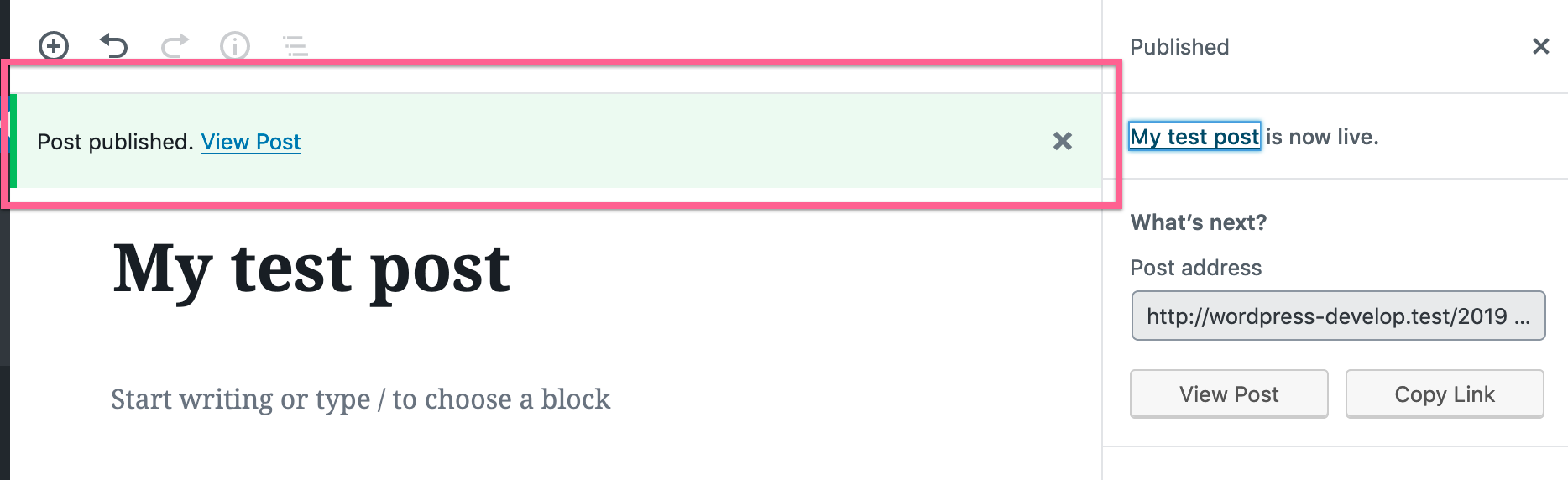
Producing an equivalent "Post published" notice would require code like this:
( function ( wp ) {
	wp.data.dispatch( 'core/notices' ).createNotice(
		'success', // Can be one of: success, info, warning, error.
		'Post published.', // Text string to display.
		{
			isDismissible: true, // Whether the user can dismiss the notice.
			// Any actions the user can perform.
			actions: [
				{
					url: '#',
					label: 'View post',
				},
			],
		}
	);
} )( window.wp );
You'll want to use this Notices Data API when producing a notice from within the JavaScript application lifecycle.
To better understand the specific code example above:
wpis WordPress global window variable.wp.datais an object provided by the block editor for accessing the block editor data store.wp.data.dispatch('core/notices')accesses functionality registered to the block editor data store by the Notices package.createNotice()is a function offered by the Notices package to register a new notice. The block editor reads from the notice data store in order to know which notices to display.
Check out the Enqueueing assets in the Editor tutorial for a primer on how to load your custom JavaScript into the block editor.
了解更多
区块编辑器提供了完整的通知生成 API。官方文档是了解其功能的最佳起点。
如需查看所有可用的操作和选择器,请参阅 通知数据手册 页面。

